
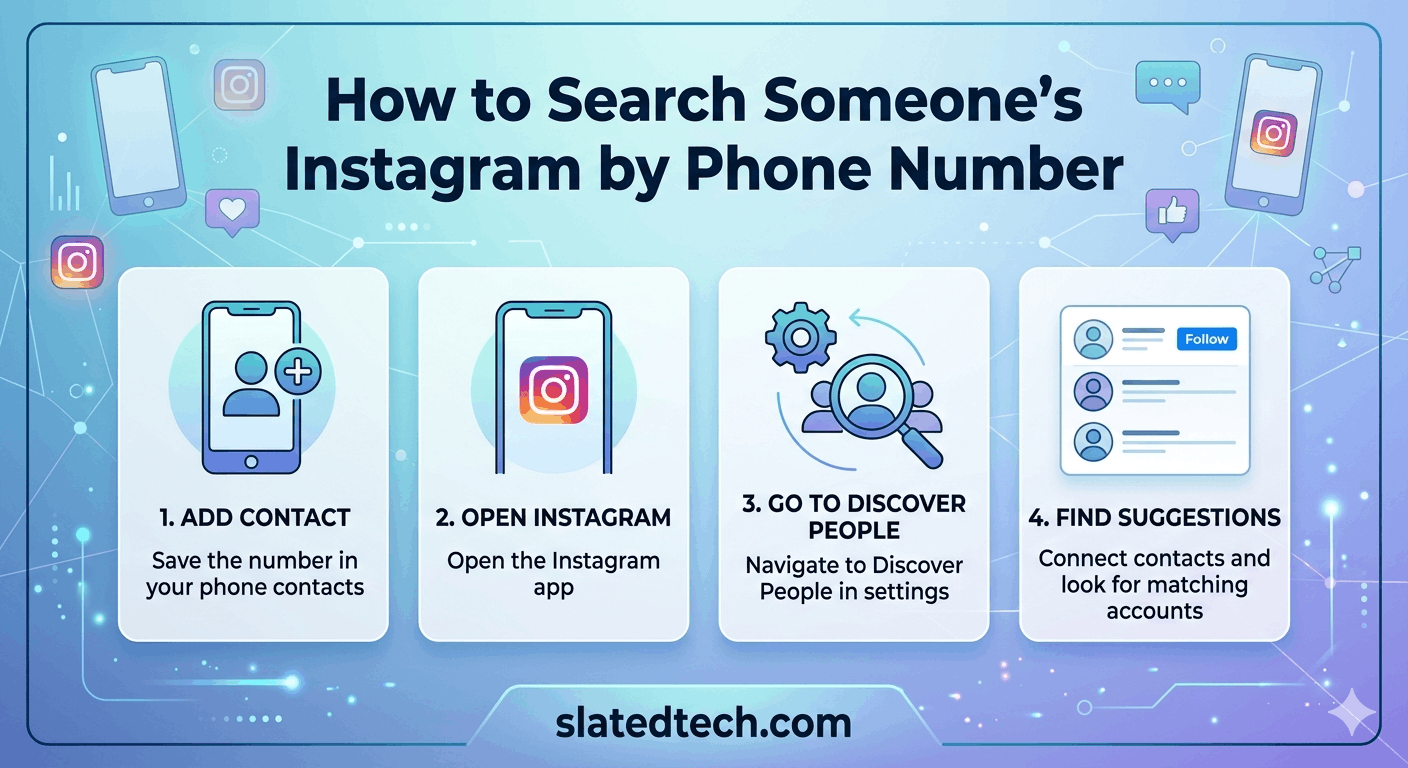
Short answer: you can’t. Not the way you’re probably hoping.
Instagram has no search bar where you type a phone number and get back a profile. That feature doesn’t exist. It never has. So if you came here for a magic trick, I’ll save you the scroll.
But there’s one real workaround, and it’s worth understanding properly. It works through your contacts, not through a search. Let me walk through how it actually functions, what it can and can’t do, and why the “find anyone by number” tools you’ll see advertised are mostly junk.
Why there’s no phone number search ❌
Instagram is owned by Meta, and Meta treats phone numbers as private data. If anyone could type a number and pull up your account, stalkers and scammers would have a field day. So the search function only covers usernames, names, hashtags, and places.
Type a phone number into the Instagram search bar and you’ll get nothing useful. The app isn’t built to read it that way.
The only path that touches phone numbers is contact syncing. And that’s a different mechanism entirely.
The one method that works: contact syncing ✅
Here’s the actual chain of events.
You save someone’s phone number in your phone’s contacts. The person who owns that number has an Instagram account, and they’ve linked that same number to their profile. You let Instagram access your contacts. Instagram cross-references the two and suggests their account to you.
So you’re not searching. Instagram is matching. The number has to already be in your contacts, and the other person has to have it on their account. Both halves need to be true or nothing happens.
How to do it, step by step
1. Save the phone number as a contact on your phone first. Give it a name, save it, done.
2. Open Instagram. Go to your profile, tap the menu (the three lines), then head to Settings and activity.
3. Look for Follow and invite friends, then Contacts.
4. Toggle on Connect contacts. Instagram will ask permission to sync. Say yes.
5. Give it a minute. Then check Suggested for you on your feed or the Discover people list. If a match exists, the account shows up there.
That’s the whole thing. If their number isn’t linked to their account, or they’ve disabled contact matching, they won’t appear. No error message, no explanation. They just won’t be there.
What works and what doesn’t
| Method | Does it work? | What you need |
|---|---|---|
| Typing a number in Instagram search | ❌ No | Nothing. The feature doesn’t exist. |
| Contact syncing | ✅ Yes (with conditions) | Number saved in your contacts + linked to their account |
| Third-party “Instagram finder” sites | ❌ Mostly no | Often scams. Risky. See below. |
| Google search of the number | ⚠️ Sometimes | The number has to be public somewhere already |
| Asking the person directly | ✅ Yes | Just their username. Old-fashioned, but it works. |
The Google trick (worth a shot) ⚠️
This one’s a maybe. Sometimes a phone number is sitting on a public webpage somewhere, a business listing, an old forum post, a classified ad. And occasionally that page also mentions the person’s Instagram handle.
So you paste the full number into Google, with the country code, and see what comes back. Try it inside quotation marks too, like "+1 555 123 4567", which forces an exact match.
Honestly, this works maybe one time in ten. If the person guards their privacy, the number leads nowhere. But it costs you 30 seconds, so it’s worth a quick try before you give up.
Skip the third-party “finder” tools 🚫
Search around and you’ll find sites promising they’ll locate any Instagram account from a phone number. Pay a fee, enter a number, get a profile. Tempting.
I’d steer clear. Here’s why.
Most of them don’t have access to Instagram’s data, because Instagram doesn’t hand it out. So they either return nothing, return a fake result, or charge your card and disappear. Some are straight-up phishing operations harvesting the numbers people enter. A few will install something nasty on your phone.
Even the ones that aren’t scams violate Instagram’s terms of service, and using them can get your own account flagged or banned. The risk outweighs the payoff. There is no legitimate tool that does this, because the data simply isn’t available to pull.
A privacy note worth reading
Flip this around for a second. If you can find people through contact syncing, people can find you the same way.
If you’d rather not show up when someone saves your number, you have two levers. You can keep your phone number off your Instagram account entirely. Or you can turn off contact syncing in Settings, and use Instagram’s option to disconnect previously uploaded contacts.
Worth checking your own settings while you’re in there. Most people sync their contacts once during signup and never think about it again.
So what should you actually do?
If you have someone’s number and want their Instagram, save the contact and sync. That’s your best and cleanest shot. If that turns up empty, try the number in Google. If that fails too, the simplest move is the one nobody likes hearing: just ask them for their handle.
There’s no clever hack hiding behind all this. Instagram built it this way on purpose, and that’s a good thing for everyone’s privacy, including yours.
FAQs
Can I search Instagram by phone number directly in the app?
No. Instagram’s search bar only handles usernames, real names, hashtags, and locations. There’s no field for phone numbers and there never has been.
Why does Instagram sometimes suggest people I know by their number then?
That’s contact syncing, not searching. When you let Instagram access your phone contacts, it matches saved numbers against accounts that have those same numbers linked. The match happens in the background.
Will the person know I looked them up?
No. Contact syncing doesn’t notify anyone. They won’t get a message saying you found them. The suggestion just appears on your end.
Do those paid “Instagram by phone number” websites work?
Almost never. Instagram doesn’t share that data, so these sites can’t actually do what they advertise. Many are scams or phishing setups. Avoid them, and don’t enter your card details or numbers into them.
What if the number isn’t linked to their account?
Then contact syncing won’t find them, period. Both conditions have to be met: the number saved in your contacts, and the number attached to their Instagram profile. Miss either one and they won’t show up.
How do I stop people from finding me by my number?
Remove your phone number from your Instagram account, or turn off contact syncing in Settings. Instagram also lets you disconnect contacts you’ve already uploaded.
Can I find someone if I only have their number and nothing else?
Maybe, if the number is saved in your contacts and linked to their account. If not, try Googling the number. If both fail, asking them directly for their username is the reliable route.
COMMENTS