
Facebook remains one of the world’s most popular social media platforms, but its friend request system can be surprisingly confusing. Whether you’re asking “why can’t I add someone on Facebook?” or “why can’t I add a friend on Facebook?”, the answer usually comes down to one of nine specific issues — and nearly all of them are fixable.
Quick Answer: If you can’t add a friend on Facebook, you’re not alone. Whether the button has disappeared or your request keeps failing, there are 9 known reasons why this happens — ranging from privacy settings to account restrictions — and most of them are easy to fix.
Let’s walk through each reason and its solution.
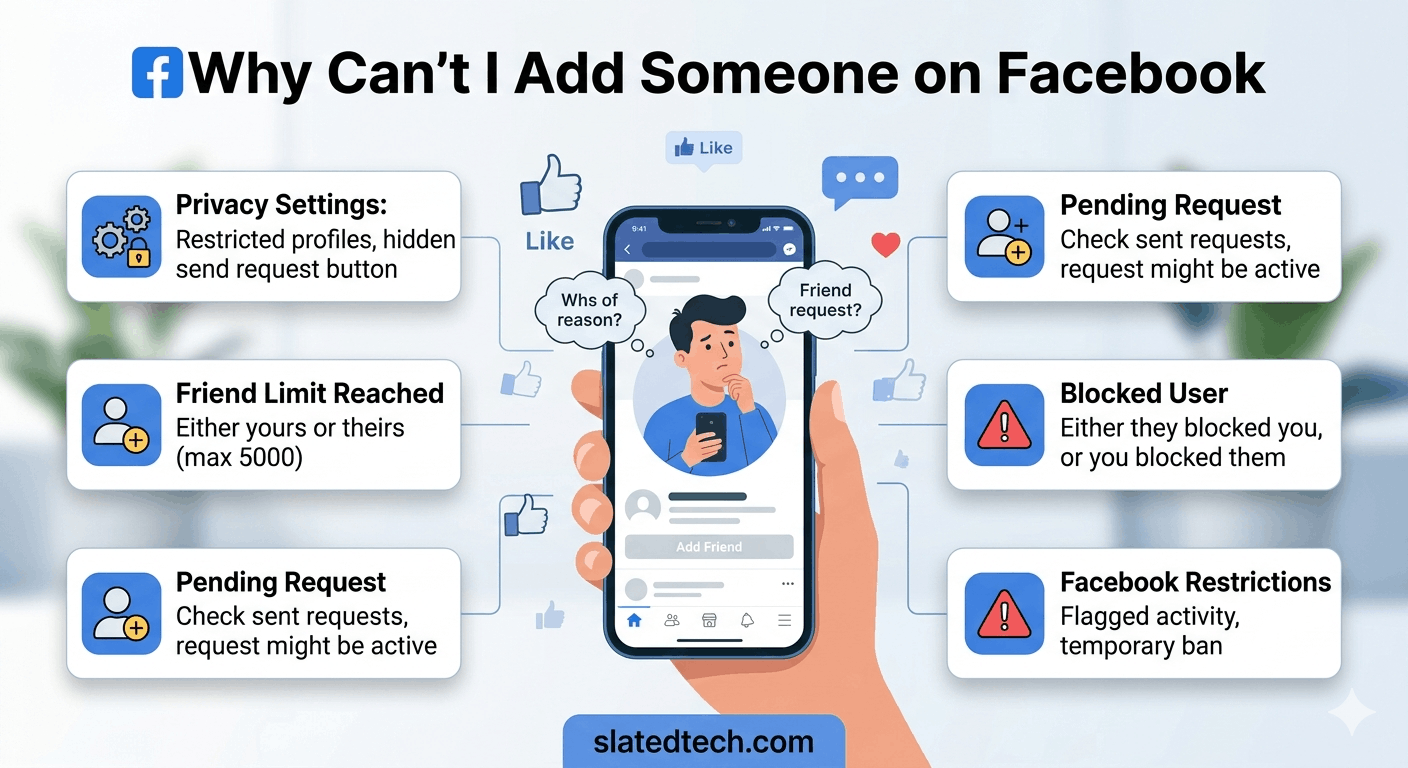
Why Can’t I Add Someone on Facebook
1. Their Privacy Settings Block Friend Requests
The most common reason you can’t add someone on Facebook is that the person has restricted who can send them friend requests. Facebook allows users to limit requests to “Friends of Friends” or even turn off the option entirely.
Fix: There is no workaround for this one. You can try following them instead (if they have a public profile) or sending a message if that option is available.
2. You’ve Been Blocked by That Person
If someone has blocked you on Facebook, their profile becomes completely invisible to you. This is a key reason why you can’t add a friend on Facebook — you simply cannot find or interact with anyone who has blocked your account.
Fix: Try searching their name while logged out of Facebook. If their profile appears, it’s likely you’ve been blocked. Unfortunately, there’s no way to send a request to someone who has blocked you.
3. You’ve Hit Facebook’s Friend Request Limit
Facebook limits the number of pending friend requests you can have at once. If you have sent too many requests that haven’t been accepted, Facebook may temporarily prevent you from sending more. This is another reason why you can’t add someone on Facebook even when their profile is public.
Fix: Go to your sent requests list (facebook.com/friends/requests/sent) and cancel any pending requests to people you no longer need to connect with.
4. Your Account Has Been Restricted by Facebook
Facebook may place a temporary restriction on your account’s ability to send friend requests if it detects suspicious activity — such as sending many requests to strangers in a short period. This is a common reason why you can’t add a friend on Facebook after being very active.
Fix: Wait 24–48 hours, then try again. Avoid mass-sending friend requests going forward. If you believe the restriction was applied in error, visit Facebook’s Help Centre to appeal.
5. You Previously Sent a Request That Was Declined or Ignored
If the person previously declined or ignored your friend request, Facebook adds a waiting period before you can try again. During this time, the “Add Friend” button may disappear entirely — which often confuses people into asking why they can’t add someone on Facebook.
Fix: Facebook automatically lifts this restriction after a period of time (usually a few weeks). You cannot manually override it.
6. The Person Has Reached the 5,000 Friend Limit
Facebook caps personal accounts at 5,000 friends. If someone’s account is already full, the “Add Friend” button will simply be missing. This is why you can’t add a friend on Facebook who is a public figure, influencer, or someone with a very large network.
Fix: Follow them instead of adding them as a friend. On a full account, you can typically still follow their public posts using the “Follow” button.
7. The Profile Is a Facebook Page, Not a Personal Account
Facebook Pages (used by businesses, brands, and celebrities) do not have a friend request system. If you can’t add someone on Facebook because there’s no “Add Friend” button, check whether you’re looking at a Page rather than a personal profile.
Fix: Click the “Like” or “Follow” button on Facebook Pages to stay updated with their content.
8. A Technical Glitch or App Bug
Sometimes the reason why you can’t add a friend on Facebook is simply a technical issue — a buggy app version, a poor internet connection, or a temporary server outage on Facebook’s end can all cause the “Add Friend” button to disappear or fail.
Fix: Try these steps in order: (1) Refresh the page or restart the app. (2) Clear your browser or app cache. (3) Log out and back in. (4) Try a different browser or device. (5) Check Facebook’s official status page for outages.
9. Your Own Account Settings Are Limiting You
In rare cases, your own account settings or age-related restrictions (e.g., accounts marked as belonging to minors) can affect whether you can send friend requests. New accounts are also sometimes restricted from sending requests until they’re more established.
Fix: Review your own Privacy Settings and ensure your account information (including your birthdate) is accurate. For new accounts, building up your profile and waiting a few days typically resolves the issue.
Also Read: Can People See When You Save Their Facebook Photos
Quick Summary Table
| Reason | Can You Fix It? | Quick Fix |
| Their privacy settings | No | Follow instead |
| You’ve been blocked | No | Contact via other means |
| Too many pending requests | Yes | Cancel old requests |
| Account restricted by Facebook | Yes | Wait 24–48 hours |
| Previous request declined | No | Wait for timer to reset |
| They have 5,000 friends | No | Click Follow instead |
| It’s a Facebook Page | No | Like or Follow the Page |
| App/technical glitch | Yes | Clear cache, update app |
| Your own account limits | Yes | Fix profile settings |
Frequently Asked Questions (FAQs)
Q: Why can’t I add someone on Facebook even though I can see their profile?
A: If you can see their profile but can’t add them, it most likely means they’ve restricted friend requests to “Friends of Friends” only, or they’ve specifically blocked this feature in their privacy settings. It could also mean you’ve previously sent a request that was declined. Try clicking the “Follow” button if it’s visible.
Q: Why can’t I add a friend on Facebook — the button is completely missing?
A: A missing “Add Friend” button usually means one of three things: the person has blocked friend requests entirely, they’ve blocked you, or the profile you’re visiting is a Facebook Page (not a personal account). Check what type of profile it is and look for a “Follow” or “Like” button as an alternative.
Q: How do I know if someone blocked me on Facebook?
A: Facebook doesn’t send a notification when you’re blocked. However, if someone’s profile suddenly disappears from your friends list or search results, you can’t see their posts, and you can’t find them when logged in but can while logged out — these are strong indicators you’ve been blocked.
Q: Is there a daily limit on friend requests on Facebook?
A: Facebook does not officially publish a strict daily limit, but sending too many requests in a short period (particularly to people you have no mutual connections with) can trigger an automatic restriction. Most users report issues after sending 20–30 requests to strangers in a single day. Keep your requests to people you actually know to avoid this.
Q: Why can’t I add someone on Facebook after they rejected my request?
A: When someone declines your friend request, Facebook prevents you from immediately sending another one. This lock-out period can last from a few days to several weeks depending on how many times the request has been declined. The button will reappear automatically when the waiting period ends.
Q: Can Facebook permanently ban me from sending friend requests?
A: In cases of repeated violations — such as repeatedly sending requests to strangers who mark them as spam — Facebook can permanently restrict your ability to send friend requests. This is rare, but possible. To avoid it, only send requests to people you know personally and cancel old unanswered requests regularly.
Final Thoughts
Now you know exactly why you can’t add someone on Facebook. Whether it’s a privacy setting, a block, a pending request backlog, or a simple technical glitch, there’s almost always a logical explanation — and in many cases, a straightforward fix.
The most important thing to remember: if you’re regularly wondering why you can’t add a friend on Facebook, it’s worth auditing your own account first. Cancel old pending requests, ensure your profile information is accurate, and avoid sending bulk requests to strangers. Keeping your account in good standing makes the friend request process smooth for everyone.
If the problem persists despite trying these fixes, contact Facebook’s support team directly via the Help Centre for personalized assistance.
COMMENTS